Interactions that make Ava feel like a teammate
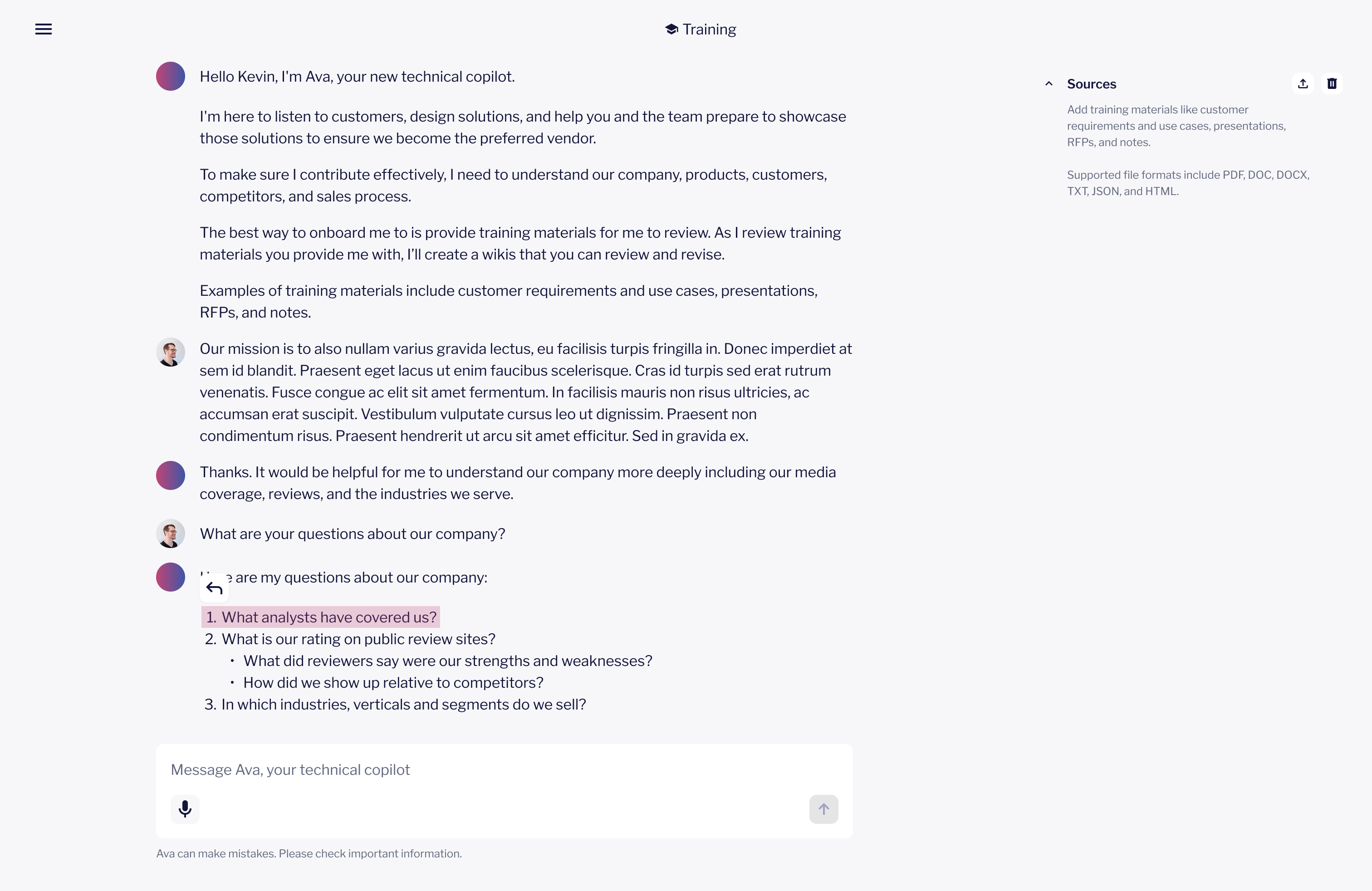
Ava is an AI agent for sales engineering and account executive teams. She connects to the tools these teams already use - Salesforce, Slack, Google Drive, Gong, and the web - and works autonomously across them to handle the research, preparation, and context-gathering that surrounds every deal.
Making edits feel direct
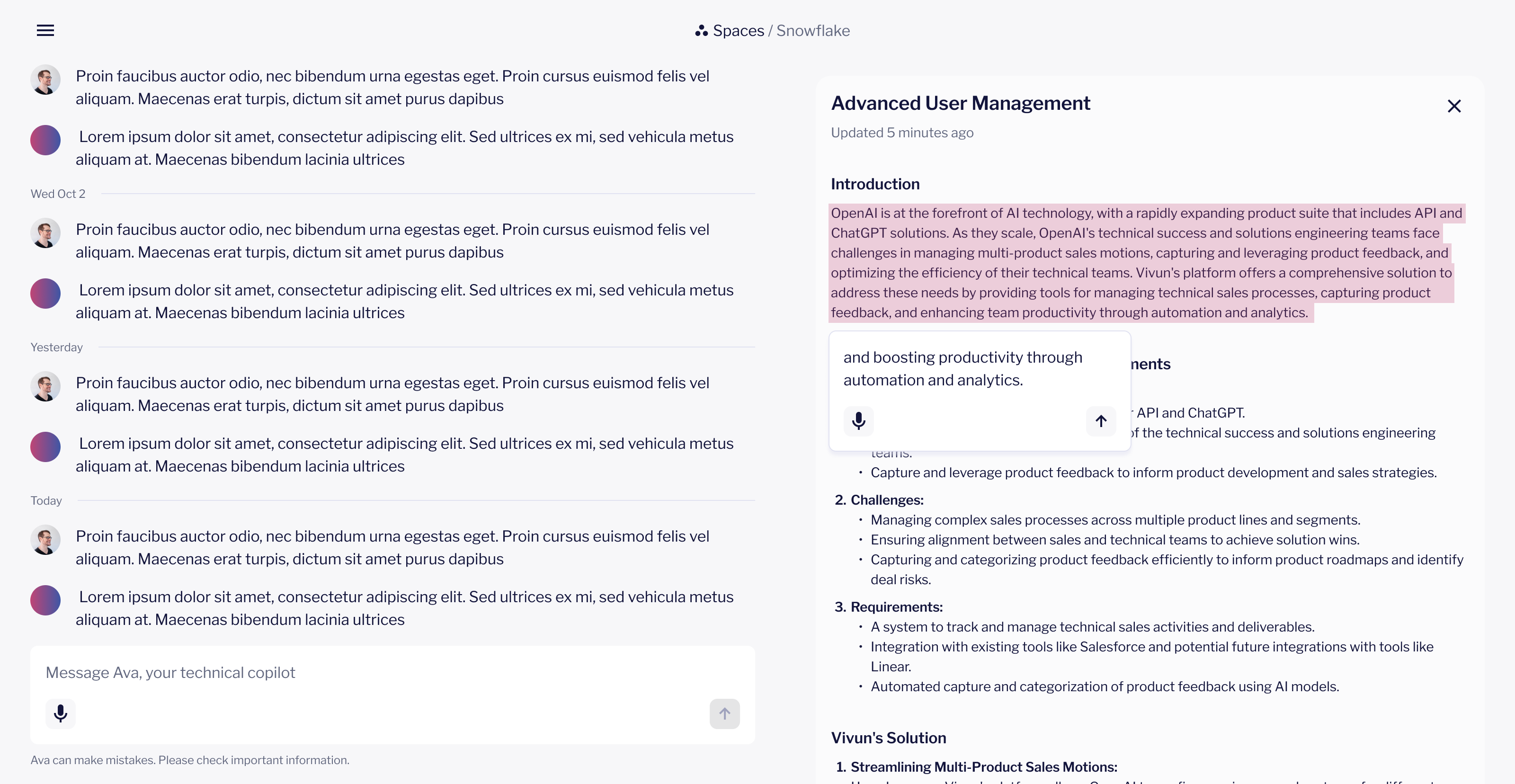
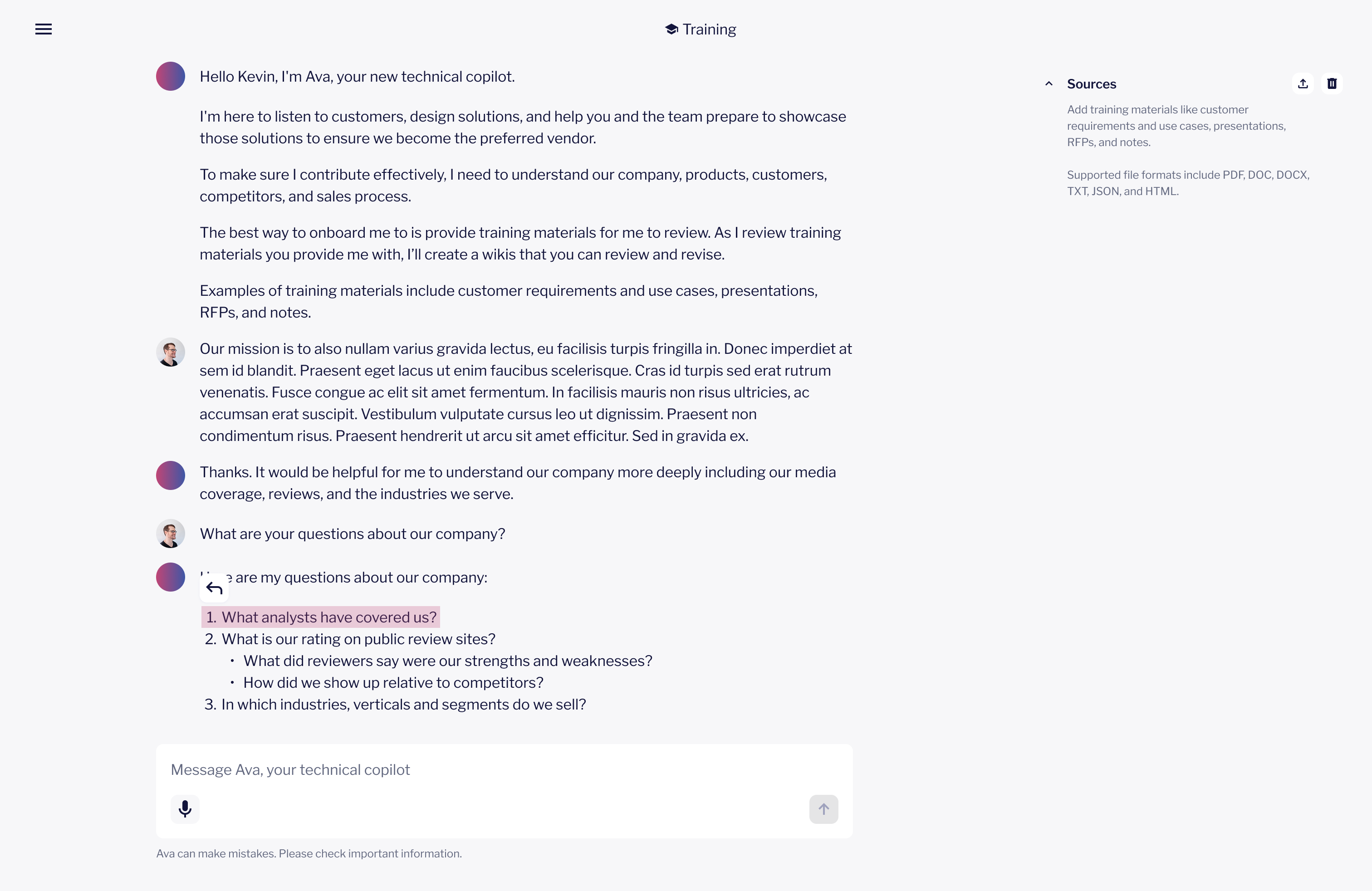
Users kept wanting to click into Ava's artifacts and change them directly. Asking her to make edits through chat felt like routing a note through a middleman. So we wired the UI to the content: select any text, and a contextual input appears exactly where you need it.
Ava processes the instruction making sure edits stay consistent throughout the entire artifact. A short message in the chat thread explains what changed and why, keeping the team informed without requiring them to re-read the whole document.
 View Figma design
Reducing the blank slate problem
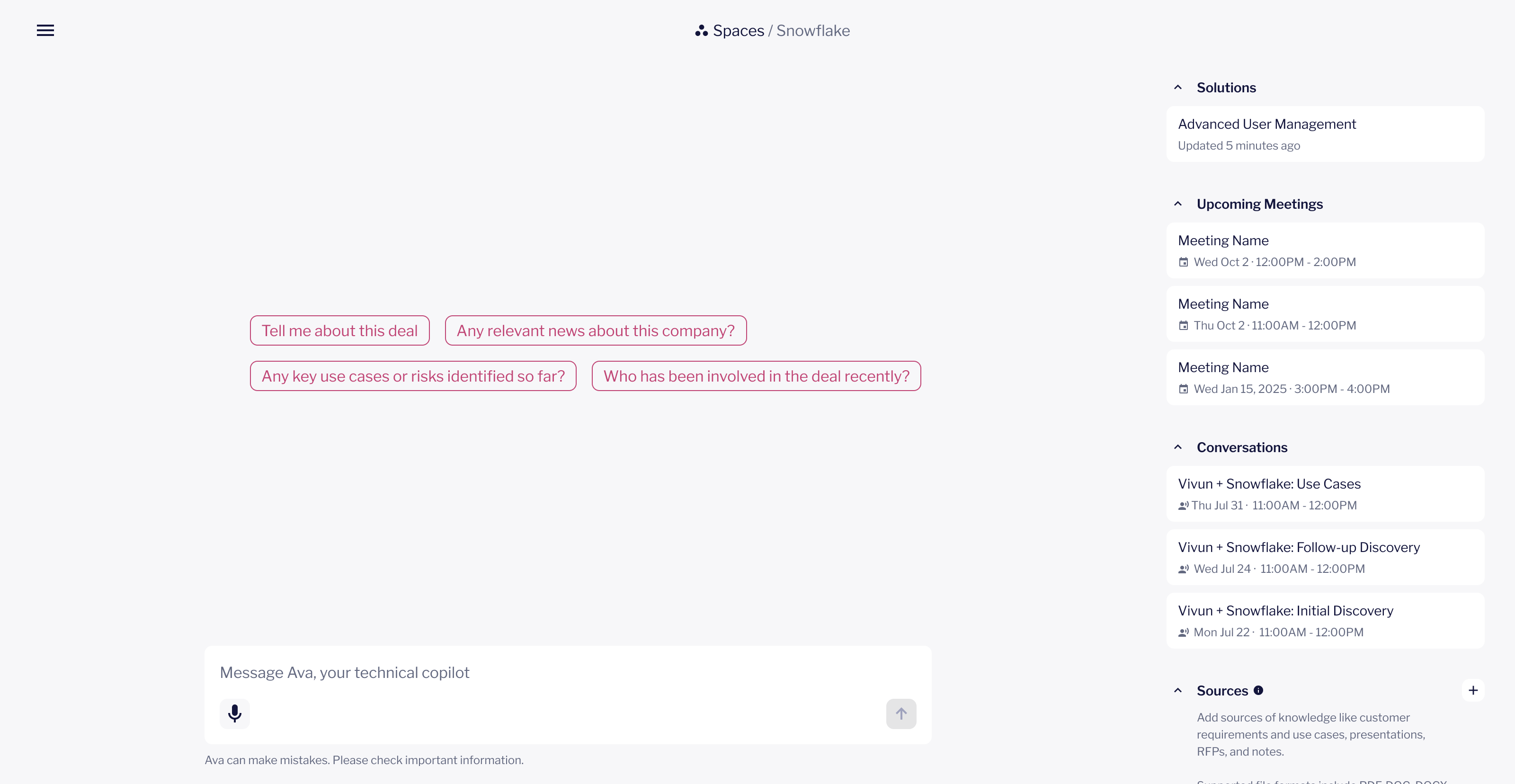
Two moments in the product asked users to initiate: the empty chat state and the moment right after Ava generated an artifact. Both created the same friction. Users knew they could ask Ava something but weren't sure what.
Prompt suggestions - when the chat is empty and the user hasn't engaged yet, Ava surfaces three contextual prompts based on the current deal. These aren't generic. They reflect the actual state of the deal, so "what's missing from discovery" and "what's coming up" feel like real next steps, not filler.
 View Figma design
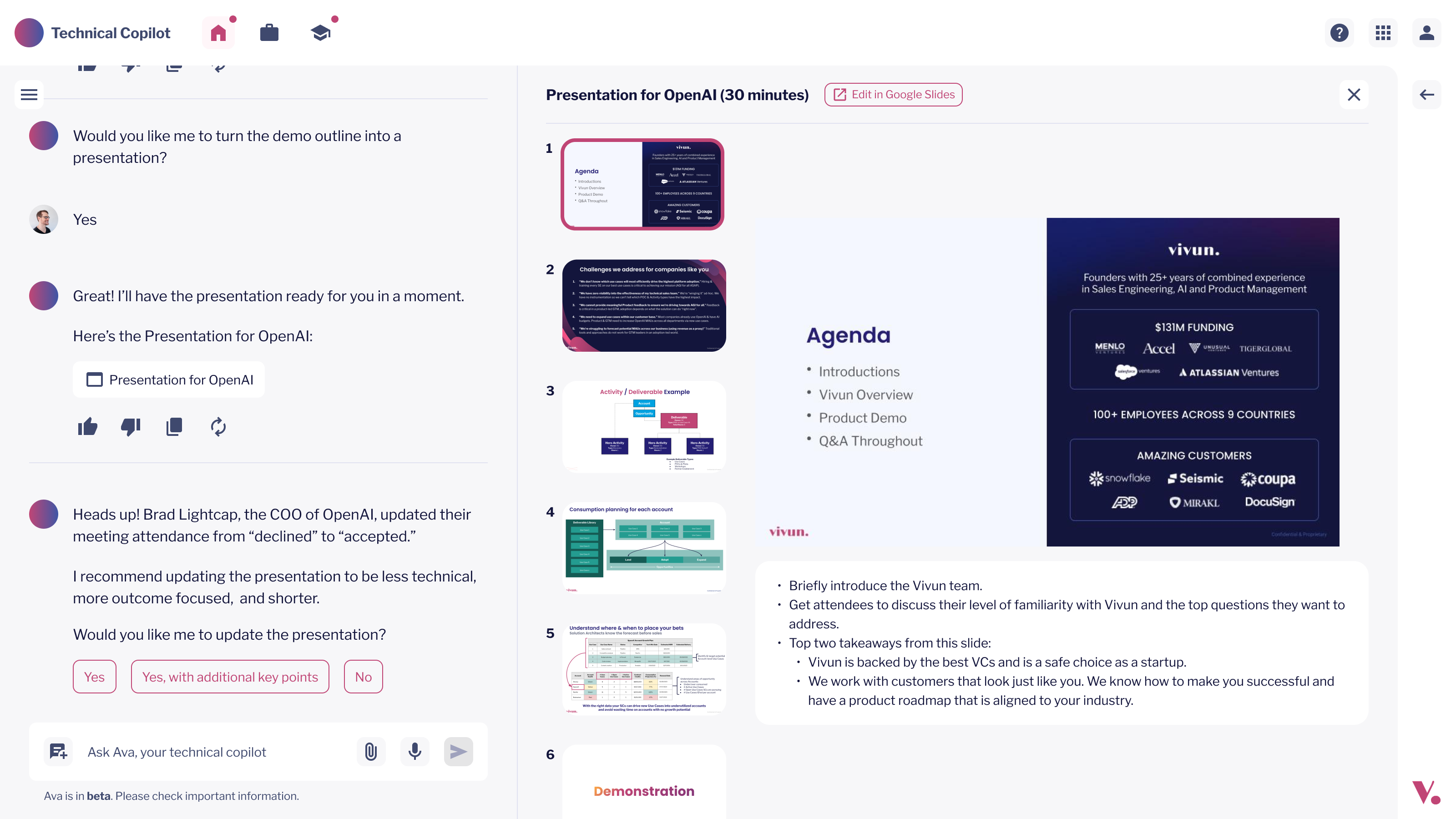
Quick replies - when a user responds, quick reply buttons appear below each message. These surface the most likely follow-ups, asking for a summary, flagging changes to tone, or flagging something coming up. The buttons disappear after the first reply to keep the thread clean.
 View Figma design
Replying with context, not just text
When a user replied to Ava in the chat thread, a plain text reply wasn't enough. People often needed to reference something specific - a previous message, a section Ava had written, a detail that needed more. So Ava always replies directly to a specific message, so she always has the right context before she responds.
 View Figma design